Case study · Historia Tattoo, Phoenix, Arizona
A tattoo shop website that now runs the front desk.
Historia Tattoo is a Phoenix studio with an award-winning roster. Its website was a page-builder template: a logo, one paragraph, two artist bios, a folder of unlabeled photos, and a "make an appointment" button that opened the visitor's email program. Nothing on it could change without a developer, nothing told search engines what the shop was, and nothing happened after a client walked out the door. We rebuilt it as a site the shop runs itself, and a system that keeps clients close after the tattoo.
- Client
- Historia Tattoo, Phoenix, AZ
- Before
- A WordPress page-builder template: one paragraph, two bios, unlabeled photos, a mail-to button
- After
- A custom site and management system: roster, portfolios, flash and events, booking pipeline, client follow-ups, hours and policies
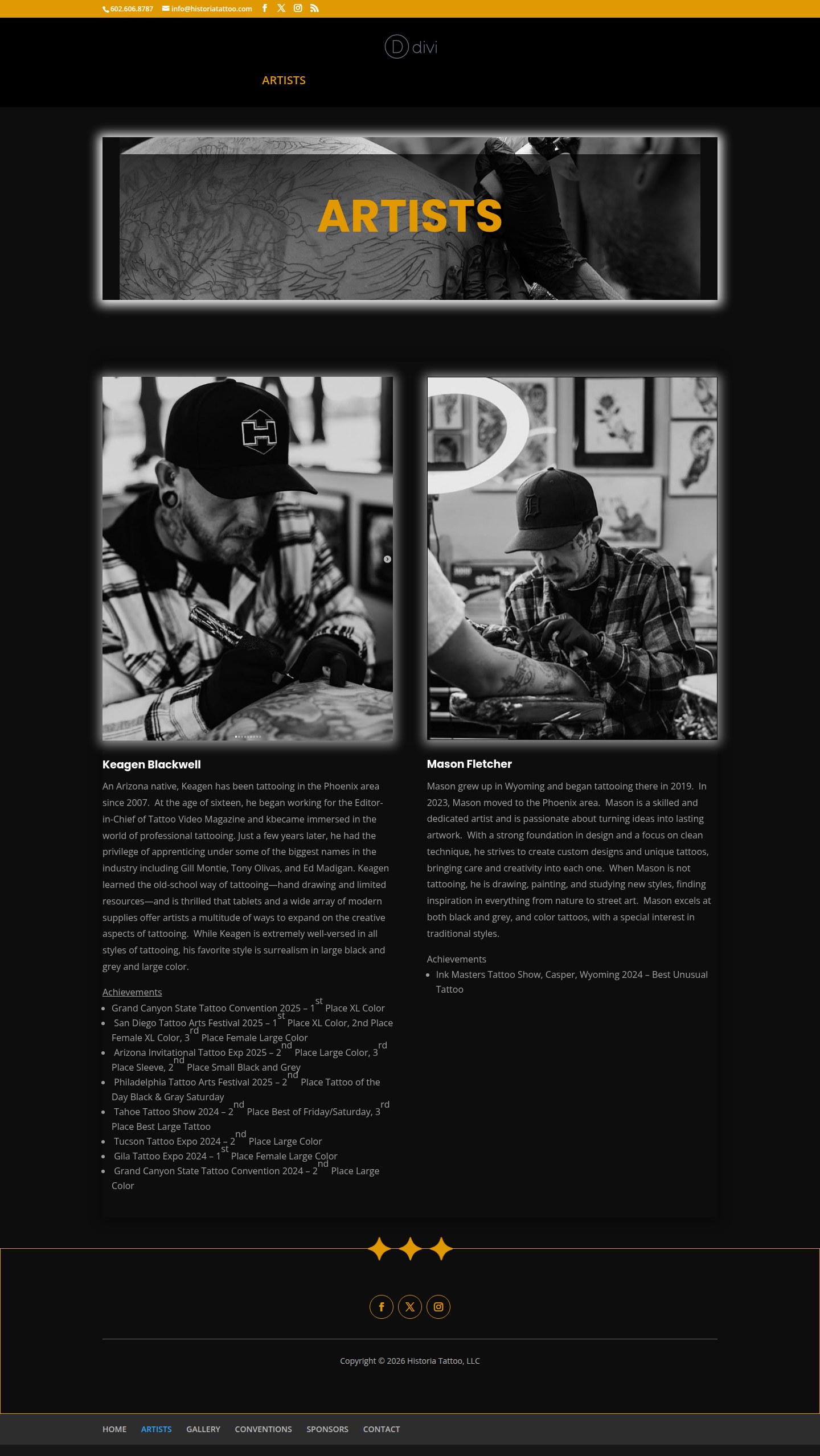
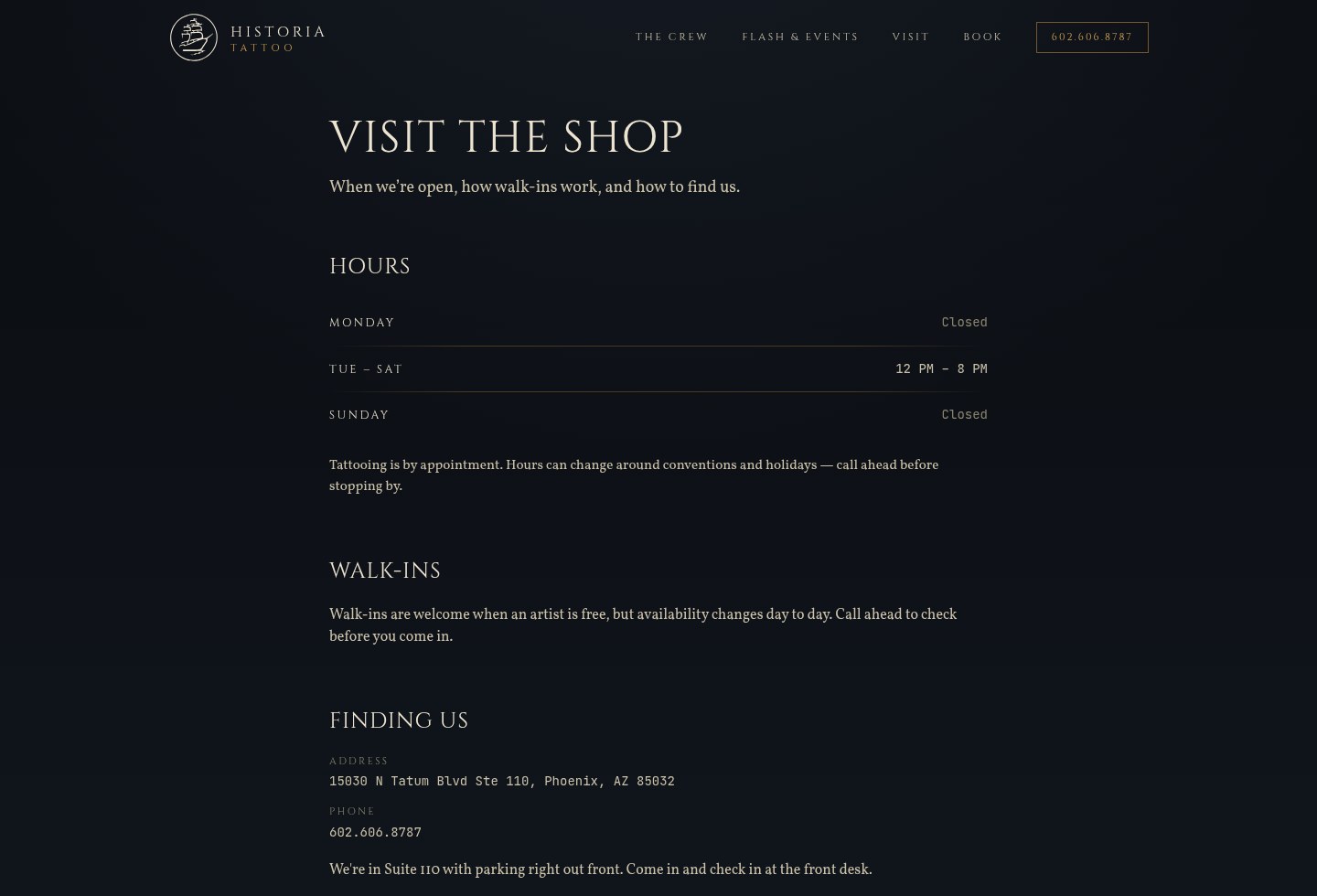
Before and after.
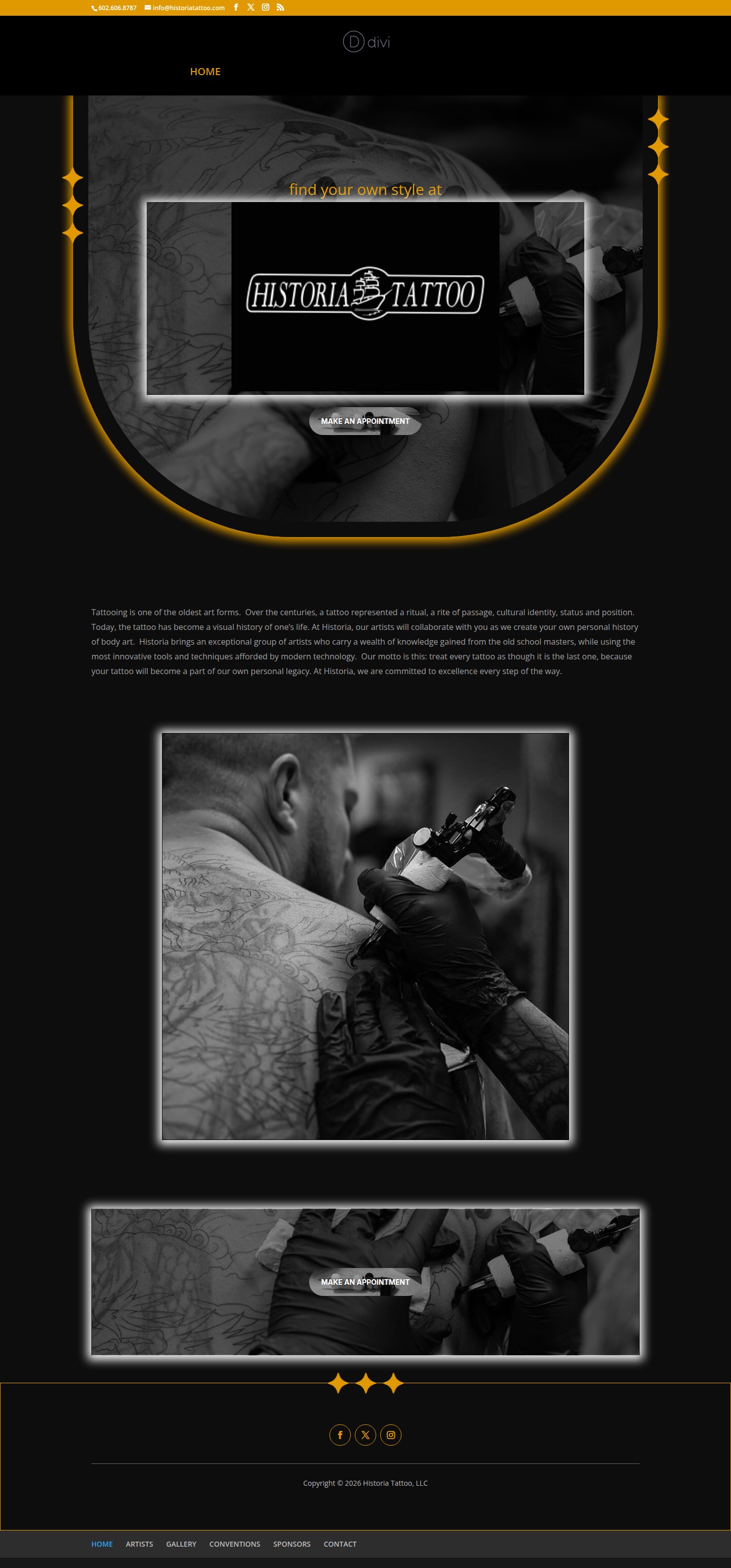
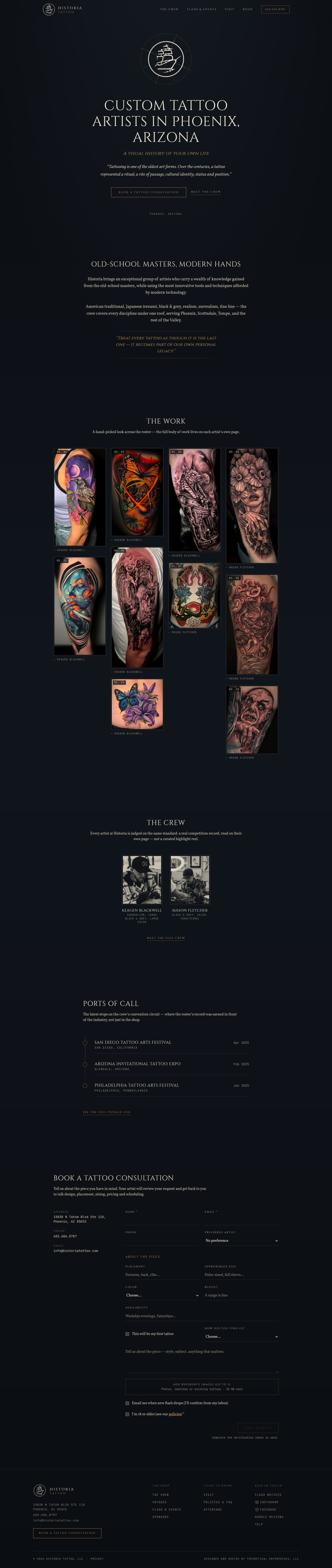
The old site was built from a theme. The new one is built from the shop: its hand-engraved ship mark, its artists, and the work.
The original home page carried a stock photo, a glowing frame and the page-builder's own logo in the header. Its one heading read "find your own style at". The new home page puts the shop's real mark at the center, states what the shop is and where, shows a curated gallery of work with every piece credited to its artist, introduces the crew, lists the convention record, and ends with a booking form. Every one of those sections is content the shop edits.
On a phone, where clients actually look.
Most people find a tattoo artist on their phone. The old template disabled pinch-to-zoom and stacked its desktop blocks. The new site was designed for the phone first.


What visitors get now.
Clients choose an artist, not just a shop. The site is organized around that.
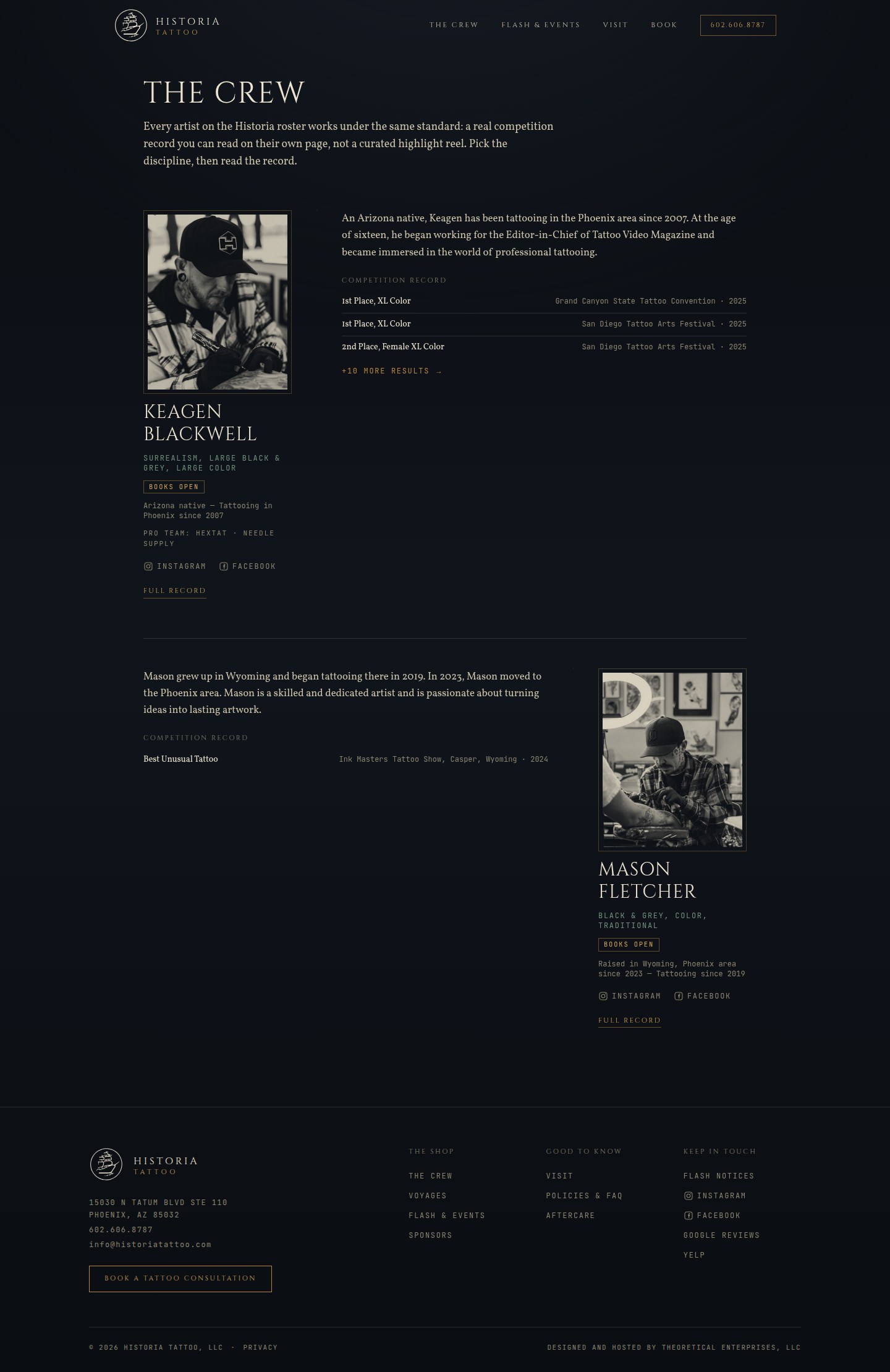
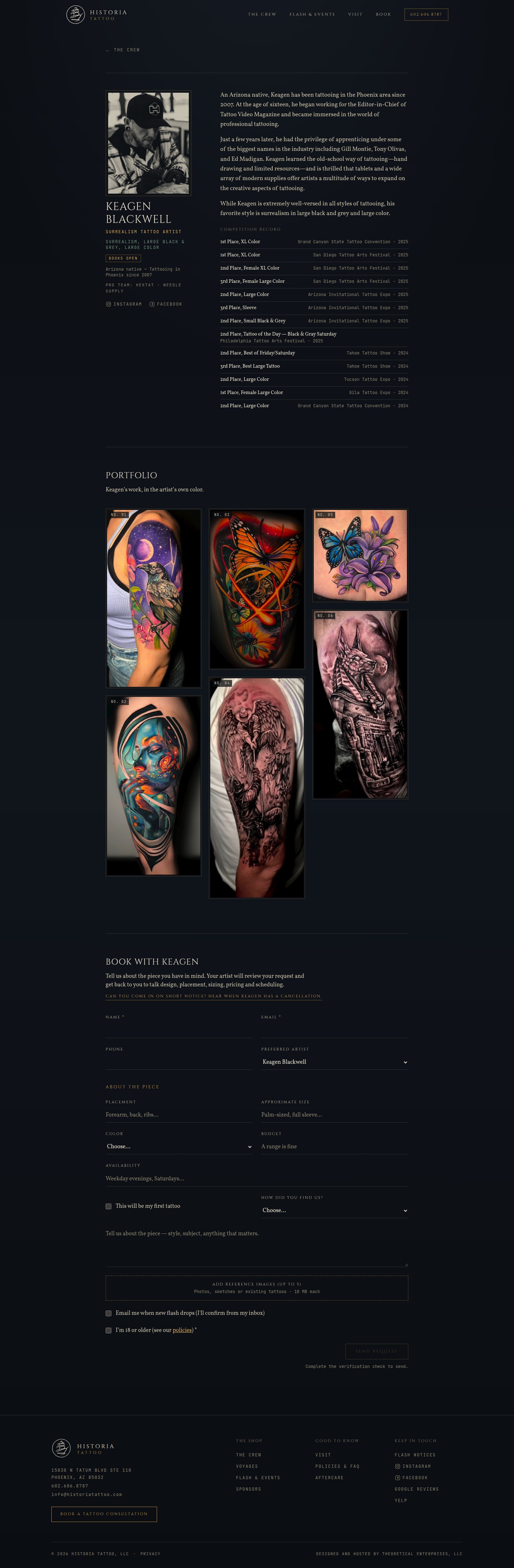
- A page for each artist: full bio, complete competition record, a portfolio in true color with style filters, a booking-status badge (books open, waitlist or closed), pro-team links, and a booking form with that artist already selected.
- A curated "The Work" gallery on the home page, every piece credited and linked to the artist who made it.
- Flash and events: ready-to-tattoo pieces that can be claimed from the site, flash days and guest-artist spots, with a "notify me when flash drops" list.
- Visit, policies and FAQ, and aftercare pages, all in the shop's own words.
- A real booking request: placement, size, color, budget, availability, up to five reference images, how they heard of the shop, and a bot check. It lands in the shop's own system, not in the visitor's email program.
- Accessibility built in: a skip link, visible keyboard focus, reduced-motion support, and text contrast checked on every background.
Run from the front desk.
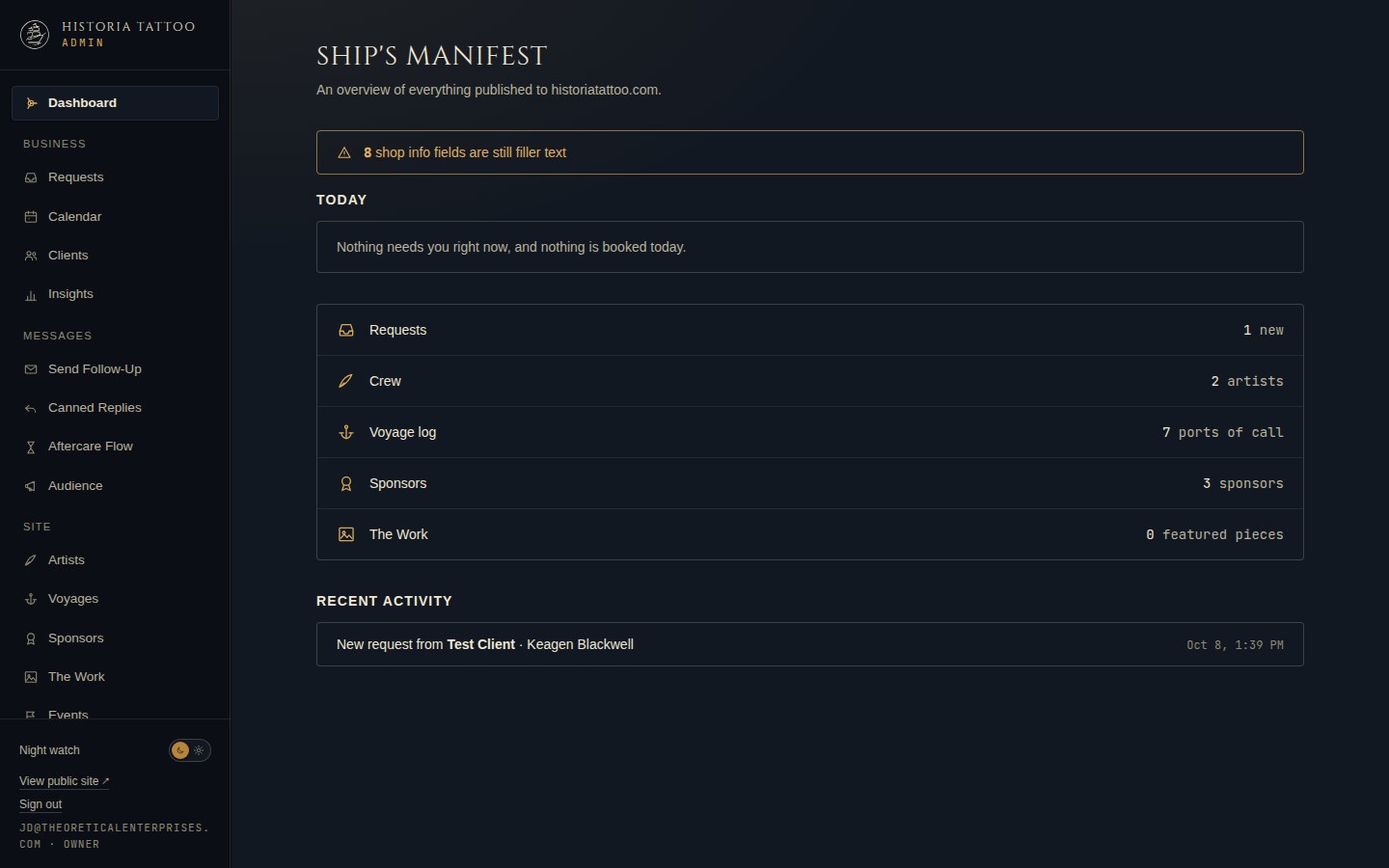
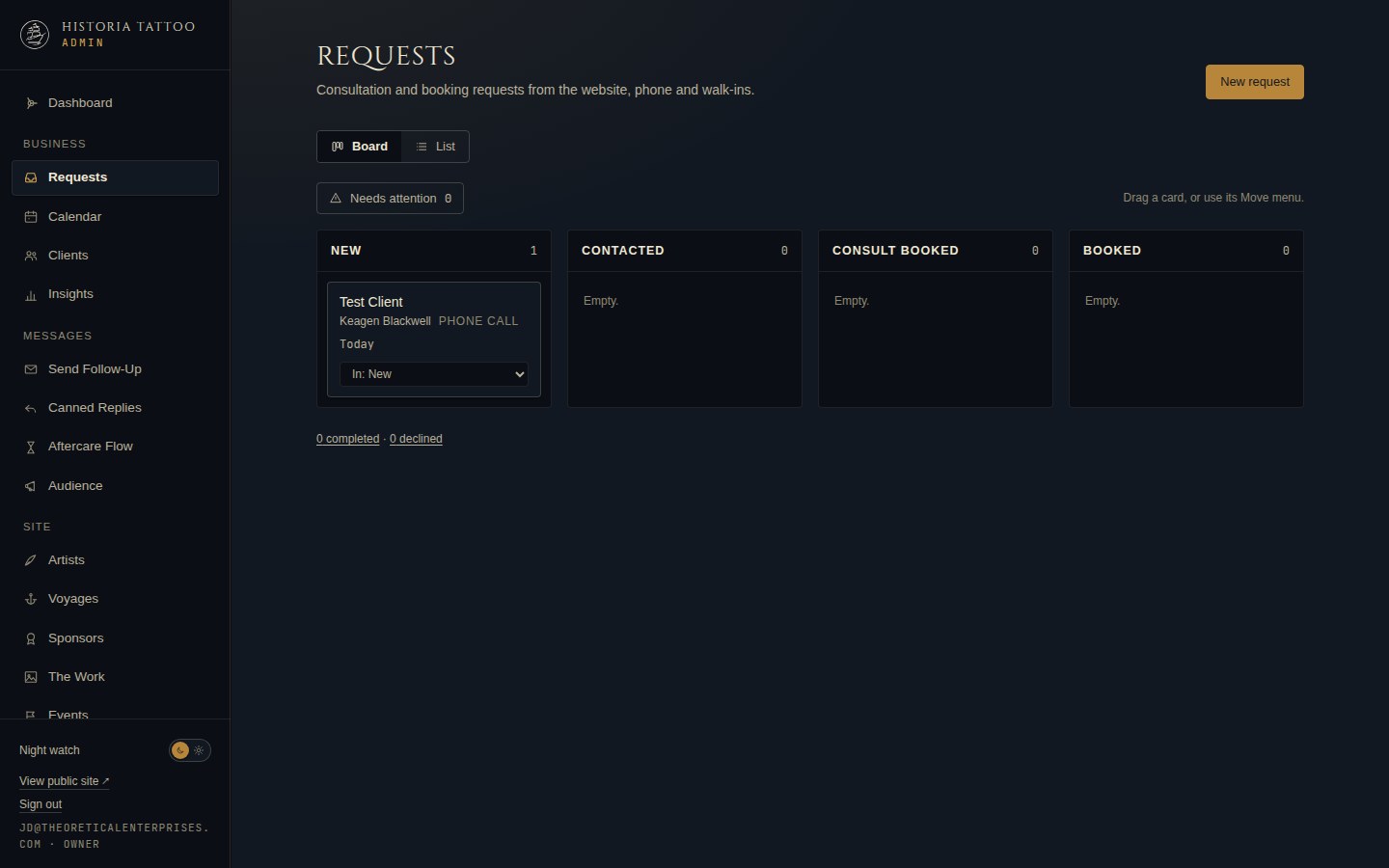
Every word and picture on the public site is editable by the shop, and the booking requests that used to be emails are now a pipeline.
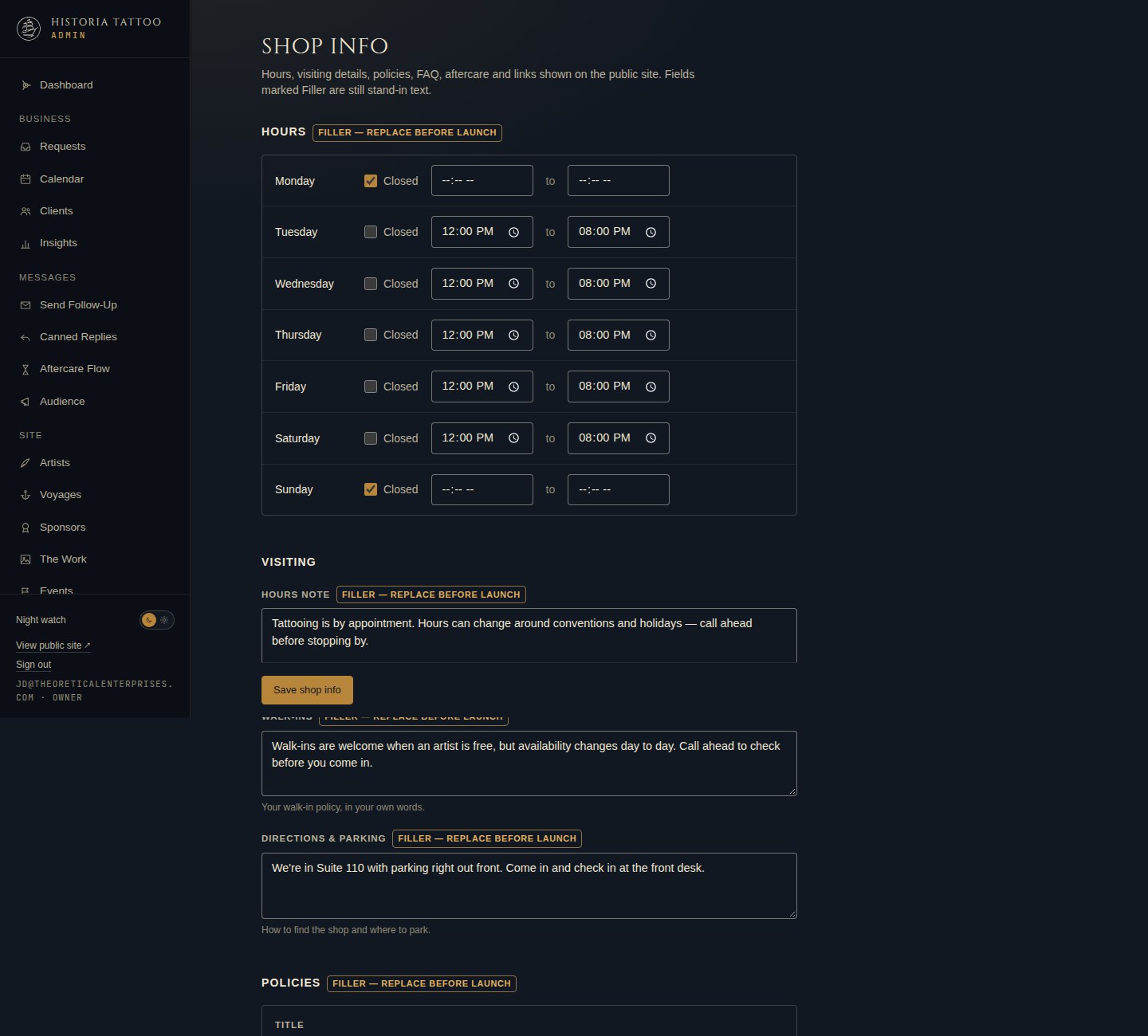
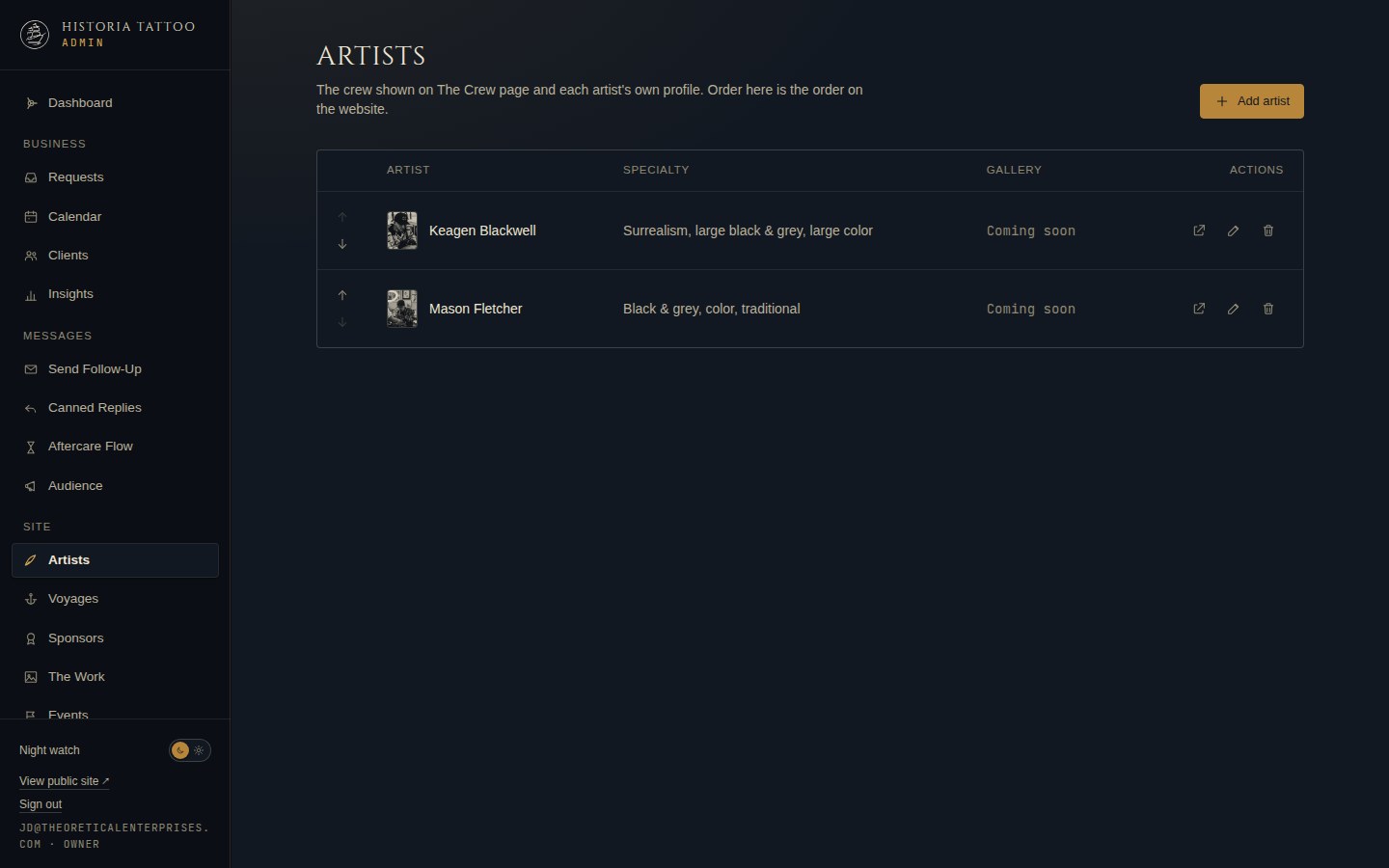
- Artists, bios, portfolios, the home gallery, sponsors, conventions, flash, events, testimonials, hours, policies, FAQ, aftercare, directions and links are all edited in the admin. Changes show on the site immediately, with no rebuild and no developer.
- Lists reorder with arrows. Stand-in text is flagged "filler" until the shop replaces it, so placeholder copy cannot slip onto the live site unnoticed.
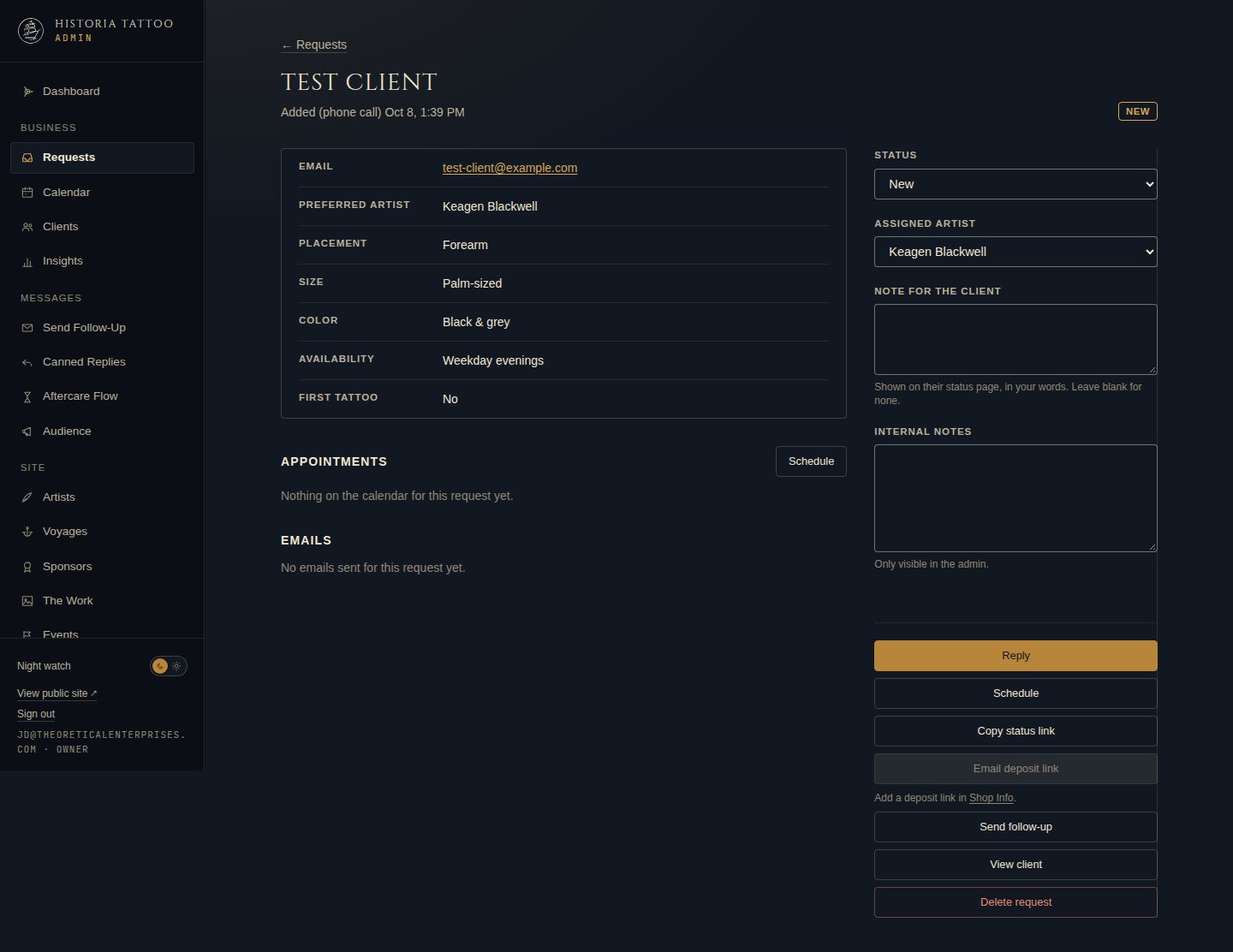
- Requests move across a board (new, contacted, consult booked, booked, completed or declined), by drag or a menu, with a "needs attention" filter for clients who have replied. Phone calls and walk-ins can be entered as requests too.
- From a request, staff reply with canned replies that fill in the client's name, artist and status link (any blank the system cannot fill stays visible, so an estimate never goes out unfilled), schedule it on the calendar, send a deposit link, copy the client's status link, send a follow-up, and see every email ever sent about it.
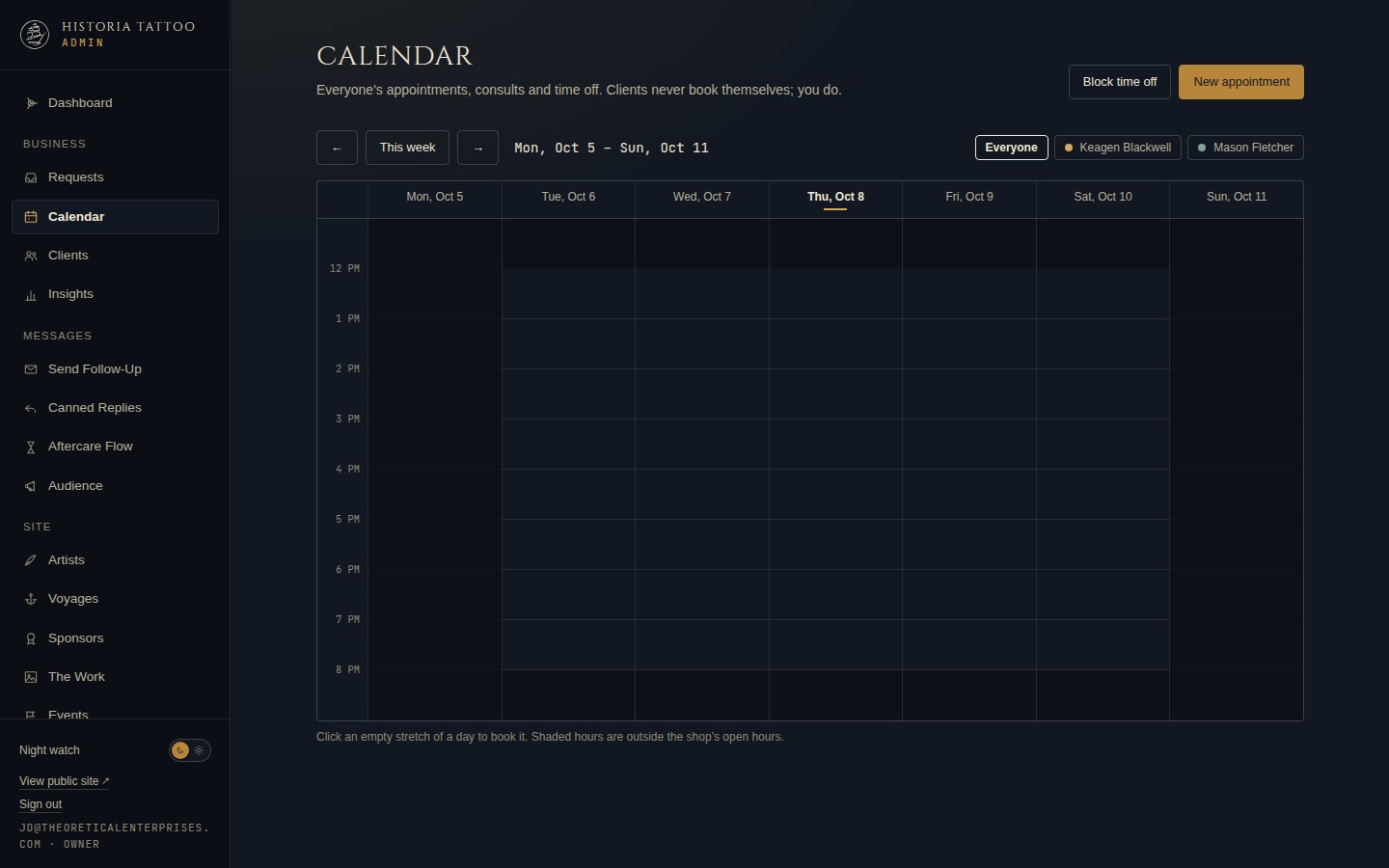
- A calendar for sessions, consultations, touch-ups and blocked time, with confirmations clients can add to their own calendar.
- Client records with history, notes, finished pieces and the option to block repeat no-shows. Insights show how requests arrive and how quickly they are answered.
- Roles without passwords: owners sign in with an email code and see everything; each artist signs in the same way to their own profile, gallery, flash, assigned requests and follow-ups.
Built to be found.
The old site told search engines almost nothing. The new one tells them exactly what the shop is, where it is, who works there, and what is coming up.
Search engines and AI assistants read structure, not just words. The new site declares the business as a tattoo studio with its address, phone, hours (once entered), service area and social profiles; declares each artist as a person who works there; and declares events and FAQs in the formats Google documents. The sitemap is generated from the content, so a new artist gets a page and a sitemap entry the moment they are added.
| Before | After | |
|---|---|---|
| Page title | "www.HistoriaTattoo.com – Historia Tattoo, LLC" | "Custom Tattoo Artists in Phoenix, AZ — All Styles — Historia Tattoo" |
| Meta description | None | Written for each page, naming styles and service area |
| Structured data | None | Business entity with address, hours, service area and profiles; a person entry per artist; events; FAQ |
| Pages that can rank | Home, artists, gallery, conventions, sponsors, contact | Those, plus a page per artist, flash and events, visit, policies and FAQ, aftercare |
| Main heading | "find your own style at" | "Custom tattoo artists in Phoenix, Arizona" |
| Image alt text | Five of six images without it | Every image carries alt text the shop writes |
| Sitemap | None retrievable | Generated from the content, including every artist page |
| Phone zoom | Disabled | Allowed; phone-first layout |
| Hours | Not published | Published on the site and in structured data once the shop enters them; stand-in hours are never sent to search engines |
Keeping clients close, and asking for the review.
The relationship used to end at the door. Now it has a status page, a follow-up email, an aftercare sequence and a review ask at the right moment.
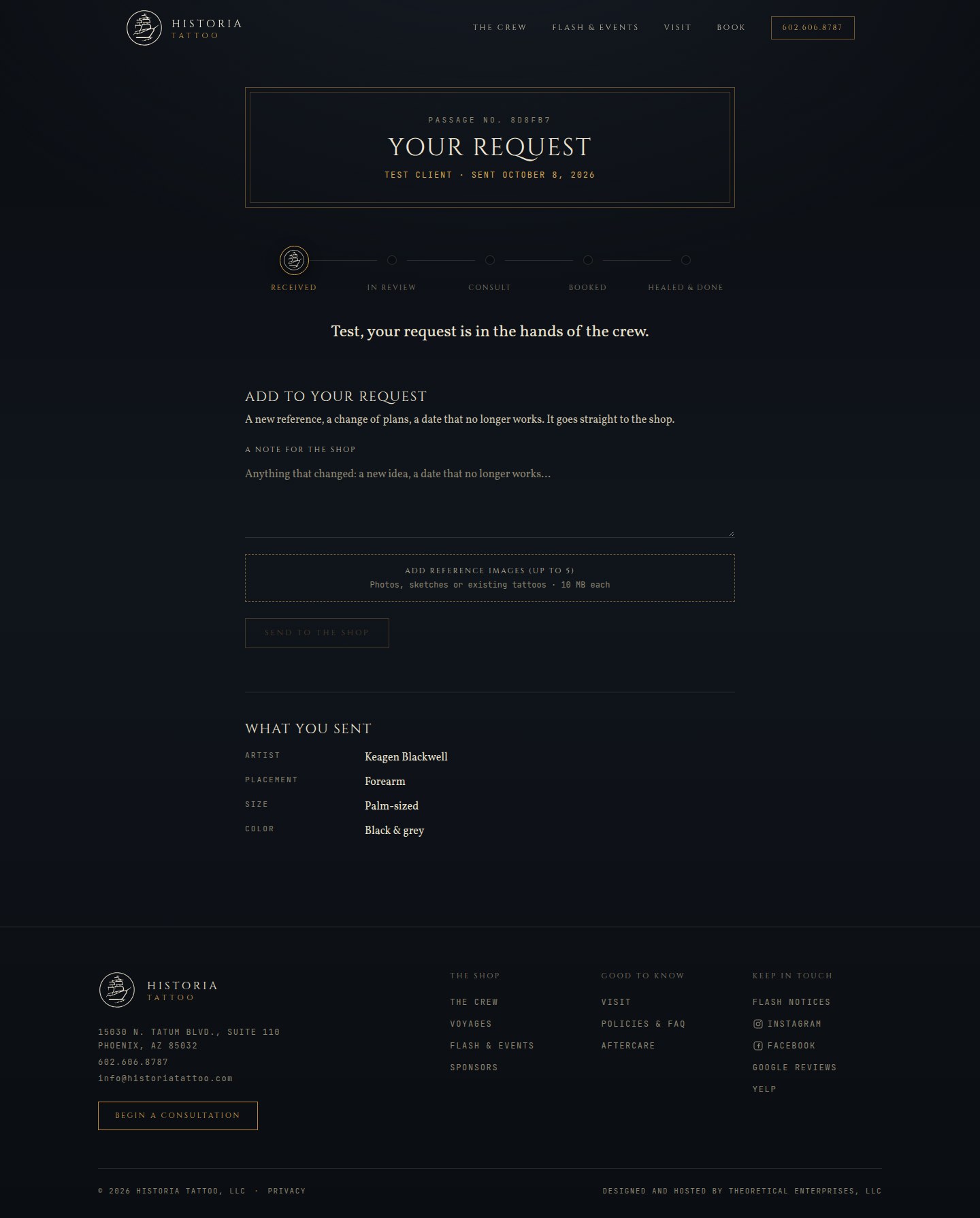
- Every request gets a private status page: where it is (received, in review, consult, booked, healed and done), what was sent, a place to add notes and reference photos, and the appointment to add to a calendar. When a client adds something, the board shows "client replied".
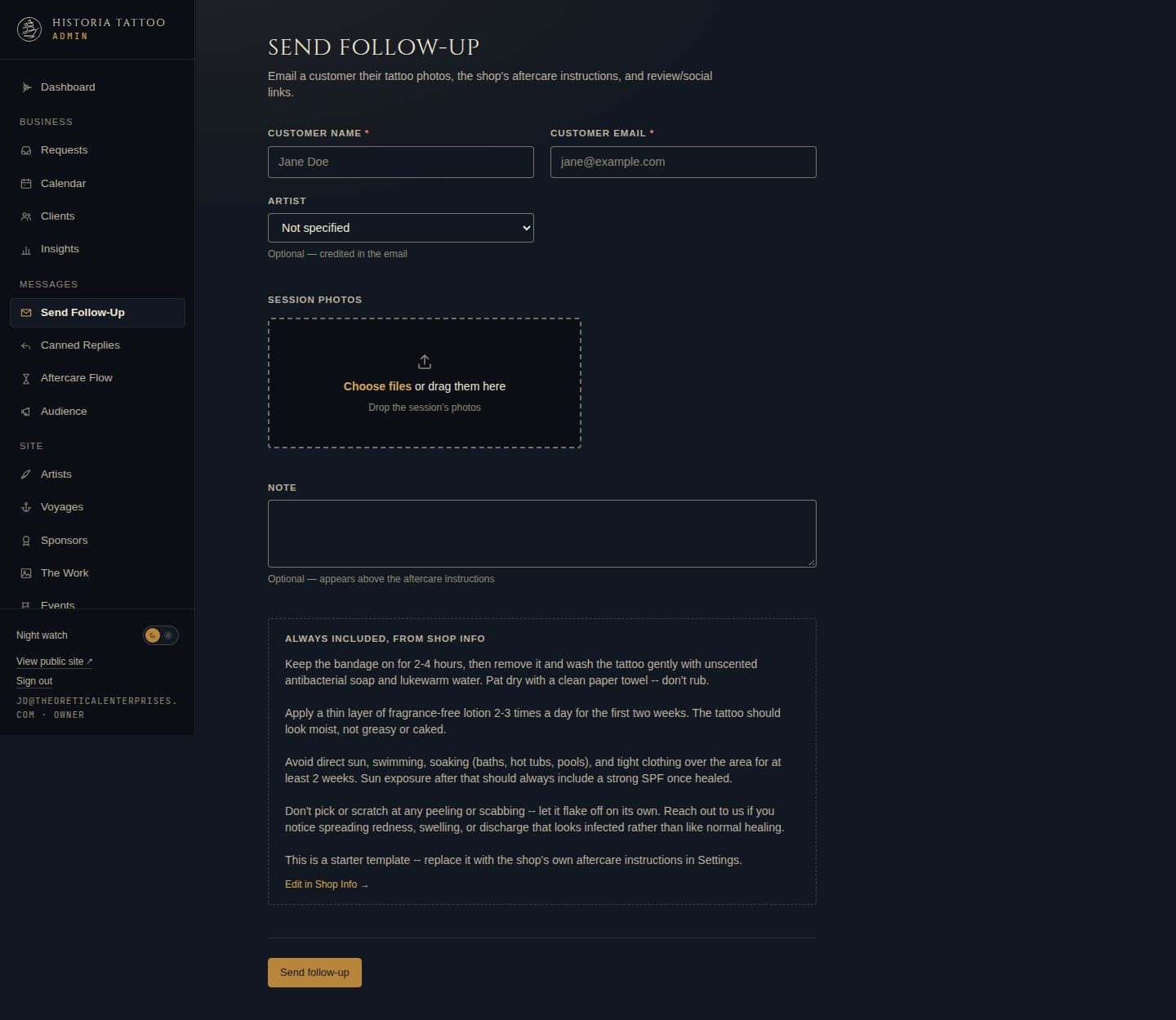
- After the session, the shop sends a follow-up from the admin: the client's photos (hosted, not attached), the shop's aftercare instructions, and buttons to leave a Google or Yelp review and follow the shop.
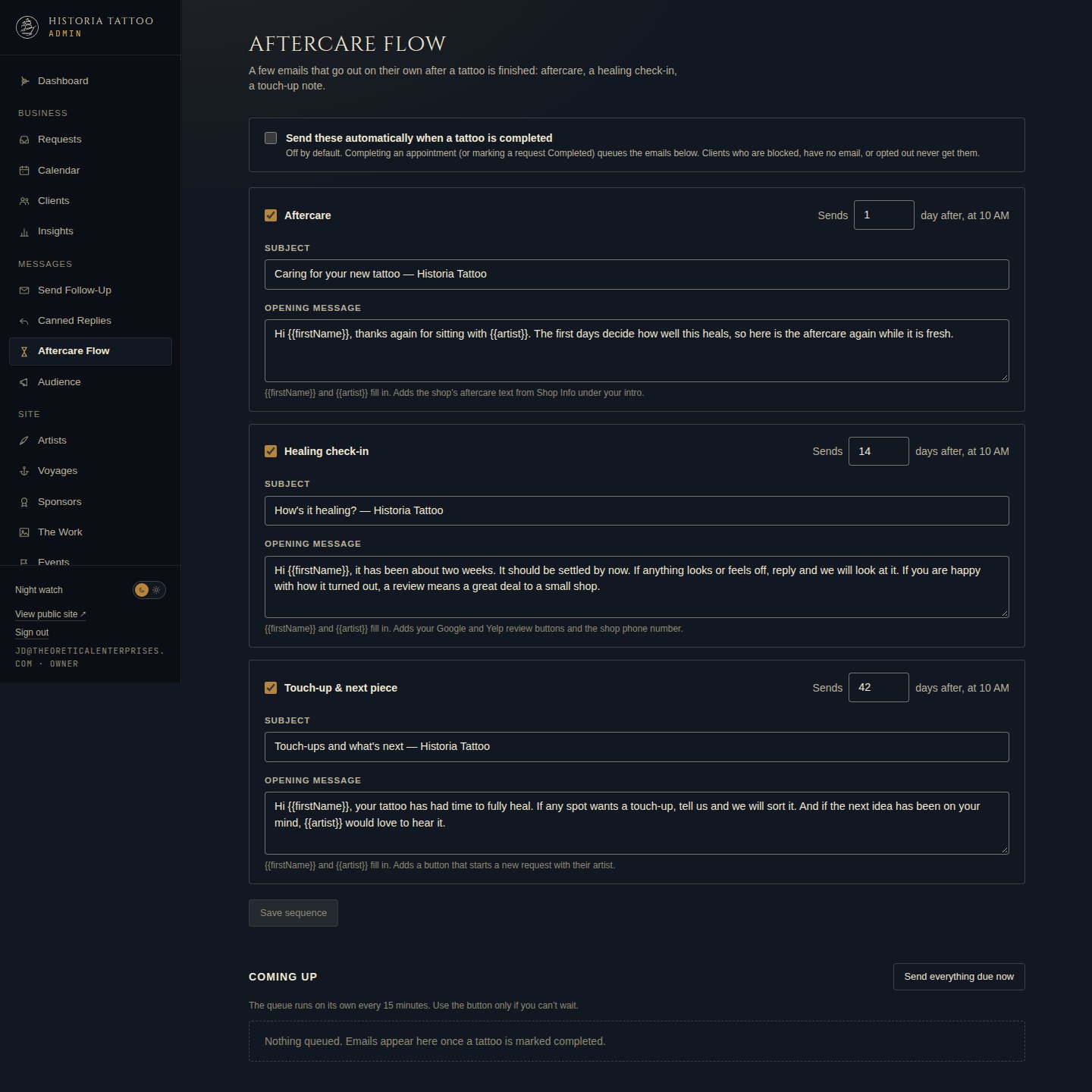
- An automatic aftercare flow, switched on by the owner: aftercare the day after, a healing check-in at two weeks that asks for a review, and a touch-up and "what's next" note at six weeks that starts a new request with the same artist. Timing, subjects and wording are the shop's to change, and every send is logged on the client's record.
- The review ask goes to every client at the same point in the sequence and links to the shop's own Google and Yelp review pages. Testimonials the shop chooses to publish carry their source. The site never invents a review.
- Artists can post the follow-up photos to their own Instagram at the same time, crediting the client.
- A flash-drop mailing list with double opt-in, exportable, with a sync to a mailing provider when the shop picks one. A rebooking nudge can be sent from any client record.
Ready for the next location.
Growth should be a data change, not a rebuild. The site was built that way from the start.
Adding a second physical location would add a location record to Shop Info and a home location per artist, with the city pages, hours and structured data following from the data. Because content was separated from code on day one, that is a scoped change rather than a second website.
- Nothing about the shop is hard-coded. Address, phone, hours, directions, policies, FAQ and links live in Shop Info, and the business entity that search engines read is generated from them.
- The roster has no fixed size. Artists, their logins and their roles are data, and the public pages were written to stay true at any headcount.
- The service area is a list, and each city in it is declared to search engines.
- Events carry their own place record, and the calendar and appointment model are per artist, so a second room or a second address does not change how scheduling works.
- The whole site runs as one deployable unit on a global network, with content, records and media in managed stores. A second shop is a second configuration, or a location added to this one, sharing the admin, the pipeline and the follow-up system.
Under the hood, in plain terms.
- One site, one deployable unit, served from a global edge network. No server to patch.
- Site content in a content store the admin writes to; booking requests, clients, appointments and the email log in a database with one row per record, so two visitors submitting at once can never overwrite each other.
- Photos in private object storage. Reference images and session photos are never exposed in the public gallery.
- Sign-in by email code at the edge, in front of the admin, with owner and artist roles checked on every request.
- Bot protection on the public form, and a scheduled job every fifteen minutes that sends due aftercare emails.
- An automated test suite covers the booking, pipeline, scheduling, templates, roles and Instagram logic.
What happens next.
- 1Replace the remaining stand-in text (hours, policies, FAQ, aftercare) with the shop's own.
- 2Complete the Instagram app setup so artists can post from follow-ups.
- 3Pick a mailing provider for flash-drop announcements.
Have a site like the old one?
Tell us what you run and what’s breaking. We’ll map how your systems fit together, point out the quickest wins, and reply within one business day to set up the call.
- Three questions. About a minute.
- We reply by email. Leave a phone number only if you want a call.
Example · systems map · what the audit produces
- Website
- Job system
- Spreadsheets
- Inventory system
- QuickBooks, Xero or NetSuite
- Re-keyed by hand
- Connected